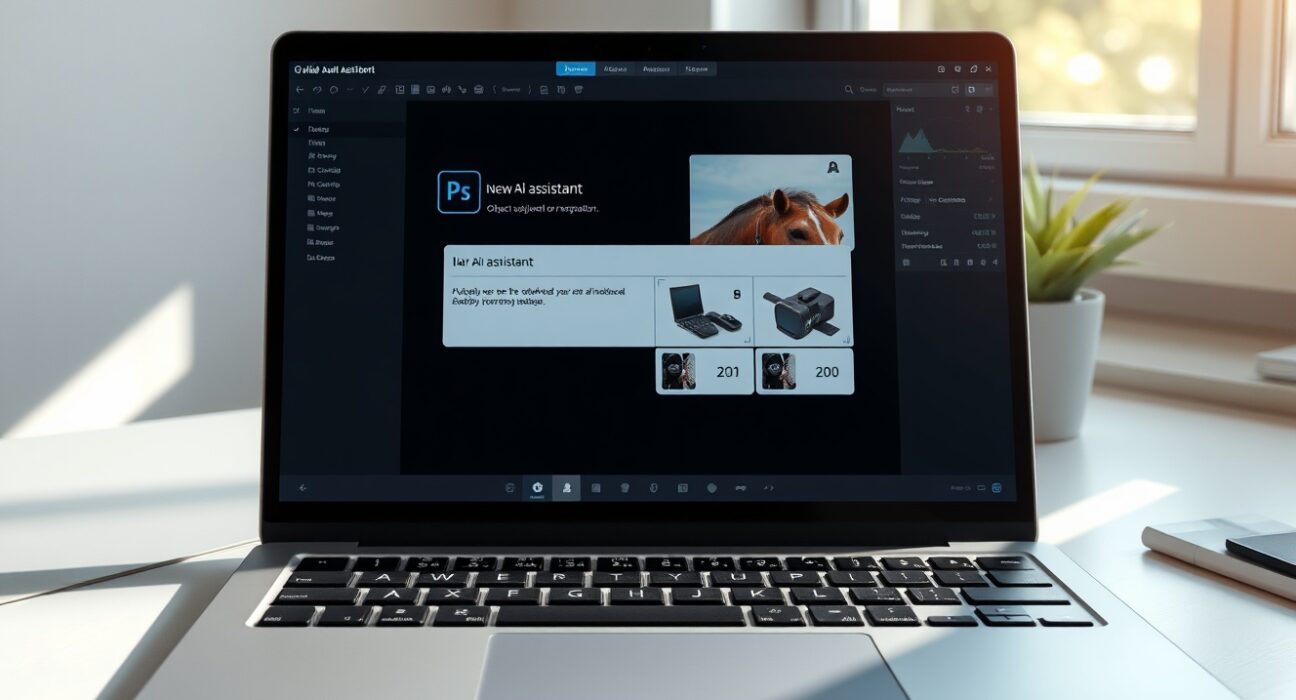
Adobe has officially launched its groundbreaking AI assistant for Photoshop in beta, fundamentally changing how creators interact with the industry-standard image editing software. Announced on Tuesday, June 9, from the company’s headquarters in San Jose, California, this intelligent feature is now available to users on the web and in mobile applications. This strategic move represents Adobe’s most significant integration of generative AI into its flagship creative tool, directly responding to the rapidly evolving demands of digital content creation. Consequently, the launch signals a major shift from manual tool-based editing to intuitive, prompt-driven workflows.
Adobe AI Assistant Transforms Photoshop Workflows
The newly introduced Adobe AI assistant for Photoshop operates as a conversational co-pilot within the application. Users can now employ natural language prompts to execute complex editing tasks that previously required multiple steps and deep software knowledge. For instance, a photographer can simply type “remove the tourist from the left side of the image and enhance the shadows on the building” to achieve the desired result. This capability dramatically lowers the technical barrier to professional-grade editing.
Adobe first previewed this AI assistant during its MAX event in October, generating substantial anticipation within the creative community. The beta rollout now delivers on that promise with several core functionalities. Firstly, the assistant excels at object and people removal through contextual understanding of the scene. Secondly, it enables sophisticated color grading and lighting adjustments via descriptive commands. Furthermore, users can instruct the AI to add specific effects like a “soft glow,” crop to a “16:9 cinematic format,” or completely transform an image’s background to achieve a different aesthetic.
Key access details for the beta period include:
- Paid Photoshop Subscribers: Unlimited AI generations through April 9, 2025.
- Free Users: An initial allocation of 20 generations to test the functionality.
Expanding Creative Possibilities with AI Markup
In parallel with the conversational assistant, Adobe is introducing a novel feature called AI Markup, also in public beta. This tool provides a more direct, visual method of communicating with the AI. Users can draw simple markers or outlines directly on the image canvas to indicate areas for modification. For example, circling an unwanted object signals the AI to remove it, while sketching a rough flower shape on a blank background can prompt the system to generate a realistic floral element that matches the scene’s lighting and perspective.
This markup functionality bridges the gap between vague text descriptions and precise pixel-level control. It is particularly powerful for complex edits where language may be ambiguous. The AI interprets the drawn intent and executes the edit while preserving the image’s overall coherence. This development follows a clear industry trend toward more intuitive human-computer interaction in creative software, moving beyond traditional menus and sliders.
The Strategic Integration of Firefly’s Generative Power
Adobe’s announcement extends beyond Photoshop, introducing significant upgrades to its standalone Firefly media creation tool. The company is porting several generative AI features that proved successful in Photoshop over to Firefly, creating a more unified ecosystem. Most notably, Generative Fill—a feature that has been in Photoshop for years—is now available in Firefly. This allows users to replace or add objects and modify backgrounds with AI-generated content that blends seamlessly.
Firefly is also gaining three new dedicated features. Generative Remove provides a one-click solution for object removal. Generative Expand uses AI to intelligently increase an image’s canvas size, creating plausible new content for the expanded areas. Additionally, Generative Upscale enhances image resolution while preserving detail. To streamline common tasks, Adobe added a one-click background removal tool, further democratizing advanced editing techniques.
Adobe’s strategy of offering unlimited generations for Firefly, announced in February, aims to foster experimentation and habitual use. The company has aggressively expanded the AI model options within Firefly, integrating over 25 third-party video and image generation models. This includes leading models like Google’s Imagen 3, OpenAI’s DALL-E 3, Runway’s Gen-3, and Stability AI’s SD3, giving users unparalleled choice in output style and capability.
| Feature | Available In | Primary Function |
|---|---|---|
| AI Assistant | Photoshop (Beta) | Natural language command execution |
| AI Markup | Photoshop (Beta) | Visual annotation for AI edits |
| Generative Fill | Firefly & Photoshop | Object addition/replacement & background modification |
| Generative Remove | Firefly | One-click object removal |
| Generative Expand | Firefly | AI-powered image canvas extension |
Industry Context and Competitive Landscape
The launch of Adobe’s AI assistant occurs during a period of intense competition in the creative AI space. Companies like Canva, with its Magic Studio, and startups like Midjourney and Leonardo.ai have been pushing the boundaries of generative image creation. However, Adobe’s move is distinct because it deeply integrates AI into the established, professional workflow of Photoshop, which boasts millions of expert users. This integration focuses on augmentation rather than replacement, enhancing the tools professionals already know.
Industry analysts view this as a defensive and offensive maneuver. It protects Adobe’s core creative software business from disruption by pure-play AI tools while simultaneously setting a new standard for what professional creative software should offer. The emphasis on an unlimited beta for paid users is a clear attempt to drive adoption and gather vast amounts of user interaction data, which is invaluable for refining the underlying AI models. This data flywheel effect could create a significant long-term competitive advantage.
Conclusion
Adobe’s deployment of its AI assistant for Photoshop marks a pivotal moment in the evolution of creative software. By enabling natural language and visual markup commands, Adobe is making professional-grade image editing more accessible and efficient. The synergistic enhancements to the Firefly platform further solidify Adobe’s integrated ecosystem approach. For creative professionals and hobbyists alike, these tools promise to unlock new levels of productivity and creative expression. The success of this beta will likely shape the future development of AI features across Adobe’s entire Creative Cloud suite, reinforcing the company’s central role in the digital content creation landscape.
FAQs
Q1: How do I access the new Adobe AI assistant in Photoshop?
A1: The AI assistant is available in beta for both web and mobile versions of Photoshop. Users need to update their application or access the web version. Paid subscribers get unlimited generations through April 9, 2025, while free users receive 20 initial generations.
Q2: What is the difference between the AI Assistant and AI Markup?
A2: The AI Assistant processes text-based, natural language commands (e.g., “remove this person”). AI Markup allows users to draw directly on the image (e.g., circling an object to remove it). Both are input methods for the same underlying AI to execute edits.
Q3: Are the AI-generated edits in Photoshop non-destructive?
A3: Yes, similar to other Smart Object or adjustment layer workflows in Photoshop, edits made by the AI assistant and AI Markup are applied non-destructively where possible. This allows users to revert or modify the AI’s work without damaging the original image data.
Q4: What happens after the unlimited beta period ends on April 9?
A4: Adobe has not yet announced the pricing or credit structure for the AI assistant features post-beta. The company typically uses beta periods to test infrastructure and gather feedback before finalizing a business model, which may involve a tiered system of included generations for different subscription plans.
Q5: Can the Photoshop AI assistant generate completely new images from scratch?
A5: The primary function of the Photoshop AI assistant is to edit and manipulate existing images based on prompts. For generating entirely new images from text descriptions, users are directed to Adobe Firefly, which is the company’s dedicated generative media tool integrated with multiple AI models.
Disclaimer: The information provided is not trading advice, Bitcoinworld.co.in holds no liability for any investments made based on the information provided on this page. We strongly recommend independent research and/or consultation with a qualified professional before making any investment decisions.